 Pinoy Gaming Network Where Pinoy Gamers Unite!

The “-ber” months are in full swing, 13th month pay is on the horizon, and you’re probably juggling Christmas parties, family reunions, and ranked queues. For many Pinoy gamers, the holidays are that rare moment when there’s both time and budget to finally upgrade the setup – whether it’s for MLBB scrims, Valorant grind, or chill story-driven games on PC or console.
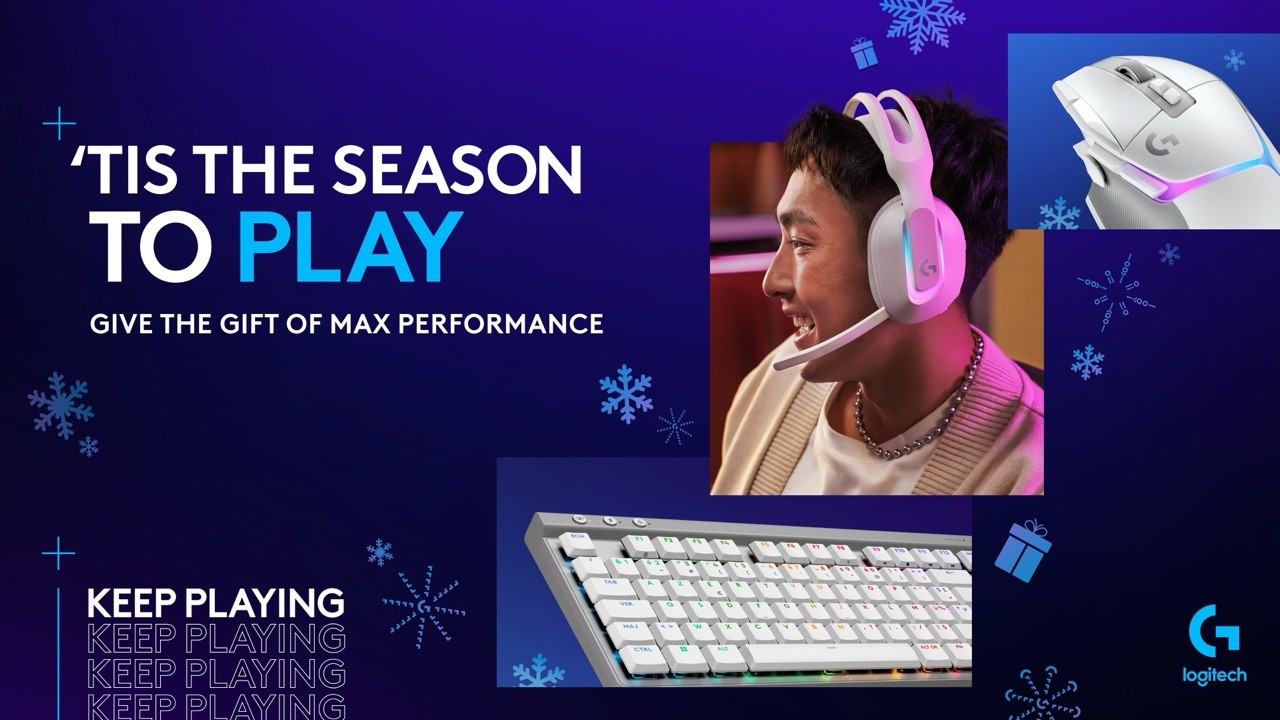
Logitech has rolled out its 2025 holiday selection of gaming gear, with options for competitive players, casual PC gamers, and even sim-racing fans who dream of burning rubber on digital tracks instead of EDSA.
Below is a breakdown of what’s in the lineup, plus practical insights tailored for Pinoy gamers and parents who might be gifting these to their kids or pamangkins.
For Aspiring Esports Pros: Gear Built for Competitive Play
If you or your students/teammates are grinding ranked lobbies and eyeing local tournaments—from barangay-level MLBB cups to collegiate and national leagues—tiny advantages in control and comfort can add up over hundreds of games.
PRO X TKL Rapid Gaming Keyboard
This tenkeyless keyboard is built with competitive play in mind. Its magnetic analog switches and adjustable actuation let you fine-tune how sensitive each key is—so you can, for example, set movement keys to trigger with the lightest press while keeping skill keys a bit “deeper” to avoid accidental ults.
For Pinoy esports hopefuls:
- Why it matters: The more consistent your inputs, the easier it is to build muscle memory for games like Valorant, CS2, and League of Legends.
- Practical tip: If you share your PC at home, you can create different profiles (via software) for school work, gaming, or even different titles.
PRO X 2 LIGHTSPEED Gaming Headset
The PRO X 2 is designed for players who rely heavily on sound: footsteps in tactical shooters, positional audio in battle royales, and subtle environmental cues in story games. It uses a graphene audio driver for detailed, powerful sound and supports wireless play for a cleaner desk.
For Pinoy gamers:
- Bakit sulit: In cramped setups—like shared rooms or dorms—a good headset lets you shut out karaoke from the kapitbahay and focus on comms.
- Esports angle: Clear audio + reliable mic = fewer “ano daw?” moments in Discord during crucial rounds.
PRO X SUPERLIGHT 2 DEX Wireless Mouse
At only 60 grams, this mouse is for players who want quick flicks and long sessions without hand fatigue. It has an ergonomic, right-handed shape with programmable side buttons, making it suitable for FPS players and even MOBA/RTS users who bind macros.
- Best for: High-sensitivity FPS players, aim trainers, and those who love low-friction mousepads.
- Pinoy angle: If your room runs warm (walang permanent aircon), a lighter mouse is more comfortable when your hands get sweaty.
PRO X SUPERLIGHT 2c LIGHTSPEED
The 2c version focuses on compactness and reliable performance. Powered by the HERO 2 sensor, LIGHTSPEED wireless, and LIGHTFORCE hybrid switches, it’s meant for fast, accurate tracking with minimal drag.
- Who it fits: Gamers with smaller hands, or those who prefer a minimalist, easy-to-pack mouse they can bring to school, cafes, or LAN events.
- Good to know: Ideal if you swap between gaming laptops and desktops and want one mouse that feels consistent everywhere.
Core PC Gear: For All-Around Pinoy Gamers (and Students)
For many Pinoy gamers, the PC is not just for gaming—it’s also for online classes, projects, and sometimes even sideline work. That means peripherals should be comfortable, versatile, and durable.

This mouse is designed for precision and customization. It uses hybrid optical-mechanical switches for fast, consistent clicks and relies on LIGHTSPEED wireless for responsiveness. You can tune the RGB through Logitech’s G HUB, syncing lighting with your setup and even your holiday theme.
- Perfect for: Gamers who switch between shooters, MMOs, and productivity apps, thanks to multiple programmable buttons.
- Pinoy scenario: Map productivity shortcuts (copy/paste, zoom, app switching) for school work by day, then switch to your “gaming profile” at night.
G515 Rapid TKL Gaming Keyboard
The G515 Rapid offers analog switches that you can customize for different playstyles, along with per-key RGB lighting. A tenkeyless layout saves desk space—helpful if your setup shares a table with books, printers, or even other family members’ PCs.
- Why it works for us: Space-efficient for condo units and dorms, yet still feels premium for gaming marathons.
- Extra: You can dim or turn off lights at night if you share a room and don’t want to disturb others.
G522 LIGHTSPEED Wireless Gaming Headset
This headset provides immersive sound, customizable EQ, and Blue VO!CE enhancements for clearer microphone output. It also supports wireless low-latency audio and RGB lighting for a coordinated, “stream-ready” look.
- For content creators: Great for aspiring streamers on Facebook Gaming, TikTok Live, or YouTube who want better mic clarity without complicated audio interfaces.
- For students: The same mic settings can make you sound clearer on Zoom or Google Meet during online consultations and presentations.
Track-Ready Picks: For Pinoy Racing and Sim Fans
Not everyone wants to grind ranked shooters. Some gamers dream of mastering racing lines, braking points, and clean overtakes—without dealing with traffic and potholes.
The G923 uses TRUEFORCE feedback to connect directly to in-game engines, giving more detailed sensations—like tire grip, engine rumble, and road surfaces. It comes with dual clutch launch controls for smoother starts and a premium-looking wheel and pedal set.
- Ideal for: Players of Gran Turismo, Forza, Assetto Corsa, or F1 who want a more realistic experience than a controller can offer.
- Pinoy immersion: Perfect for home setups where you want to build a small “rig”—even if it’s just clamped to a sturdy study table.
G29 Driving Force Steering Wheel and Pedals
This wheel uses dual-motor force feedback and helical gears for smoother, quieter steering. Stainless steel paddle shifters and a hand-stitched leather wheel contribute to durability and comfort in long sessions.
- Why consider it: Great entry point for sim racing enthusiasts who want realistic feedback without building a full-blown cockpit right away.
G560 LIGHTSYNC PC Gaming Speakers
The G560 combines strong audio output with RGB lighting that reacts to what’s on screen. Through G HUB, you can customize lighting, bass, and subwoofer behavior to match your playstyle.
- For Pinoy homes: Ideal for shared living rooms where you want to enjoy both movies and games. Just be mindful of neighbors—and curfew.
- Party mode: Works well when you’re playing music during barkada gatherings, not just gaming.
How to Choose the Right Logitech Gear for You
With so many options, it’s easy to feel overwhelmed—especially if you’re balancing budget constraints, space limitations, and the reality of shared Filipino households.
Here are some practical guidelines:
- Start from your main game(s).
- Shooters (Valorant, Apex, CS2): Prioritize a light, responsive mouse (e.g., PRO X SUPERLIGHT 2 DEX or 2c) and a reliable headset for positional audio.
- MOBA / Strategy (MLBB on emu, LoL, Dota 2): A solid keyboard for precise inputs + comfortable mouse with side buttons is a strong combo.
- Racing Sims: The G923 or G29 should be the center of your setup before anything else.
- Consider your space and noise levels.
- Small rooms and dorms benefit from wireless headsets and TKL keyboards to save space.
- If your environment is noisy, prioritize closed-back headsets over speakers, or use speakers only for specific times.
- Balance school/work and gaming. For many Pinoy gamers, the same rig is used for thesis work, freelancing, and gaming. Look for:
- Programmable buttons you can map to productivity shortcuts.
- Comfortable headsets that work for both meetings and gaming sessions.
- Keyboards that feel good for long typing sessions, not just WASD.
- Think long-term, not just holiday hype.
- Well-made peripherals can last several years if taken care of properly.
- When comparing gear, consider durability, warranty, and software support—not only aesthetics.
- For parents and gift-givers:
- Ask what games your child actually plays; buy gear that matches those needs.
- Consider wireless options to reduce cable clutter and tripping hazards at home.
- Look for features like adjustable fit (for headsets) and programmable buttons that can grow with their skills.
Final Thoughts: Building a Setup That Fits the Pinoy Gaming Lifestyle
A “good” gaming setup is not just about flexing RGB or chasing what streamers use. For Pinoy gamers, it’s often about making the most of limited space, shared environments, and a careful budget—while still achieving comfort, precision, and enjoyment.
Logitech’s 2025 holiday lineup offers options that can scale with you: from your first serious competitive climb, to content creation, to more specialized hobbies like sim racing. Whether you’re investing for yourself or buying a gift for someone in the family, the key is to match each piece of gear to how you actually play, study, and work.
If you’re planning your next upgrade this Christmas, these peripherals might be worth putting on your wish list—and maybe, just maybe, they’ll help you secure that holiday win streak too.