



TL;DR: RAM is the most expensive it’s been in years because AI data centers are buying up memory supply. Before you upgrade, check three things: whether your board takes DDR4 or DDR5, how many slots you’re filling, and whether you actually need more than 32GB. Adding two more sticks to an existing kit can make your PC slower, not faster.
Back when I was running an AMD AM3 desktop, one stick of DDR3 cost me around ₱1,000. Today, a single 8GB stick of DDR5 goes for ₱8,000 to ₱9,000 at PC Express. These days I’m on two laptops with 8GB each and no gaming desktop, so this tito is watching the RAM crisis from the sidelines. But if you’re planning an upgrade this holiday season, here’s what you need to know muna.

Why RAM costs so much right now
The short version: AI. Memory makers like Samsung, SK hynix and Micron have shifted production toward high-bandwidth memory and server RAM for AI data centers, which leaves less supply for regular desktop sticks.
The numbers are rough:
- A 32GB DDR5 kit that sold for around US$100 a year ago now goes for roughly US$429 to US$600 in the US, based on late-October 2026 price trackers.
- Here in the Philippines, PC Express’s November 3 pricelist puts a matched 32GB DDR5 kit (2x16GB) at ₱30,000 to ₱42,000, depending on brand and speed. Before the shortage, Gadget Pilipinas says 32GB kits went for around ₱4,000.
- DDR4 isn’t safe either. 32GB DDR4 kits went from about US$60–90 in October 2025 to US$150–180 by January. It’s still the cheaper option, though: PC Express lists 2x8GB DDR4 kits at around ₱7,200 to ₱8,200.
- TrendForce expects DRAM prices to rise another 10–15% this quarter, and most analysts don’t see real relief until late 2027.
So kung may balak ka, the question isn’t just “anong RAM ang bibilhin,” it’s “kailangan ko ba talaga ngayon?”
Constraint #1: DDR4 and DDR5 don’t mix
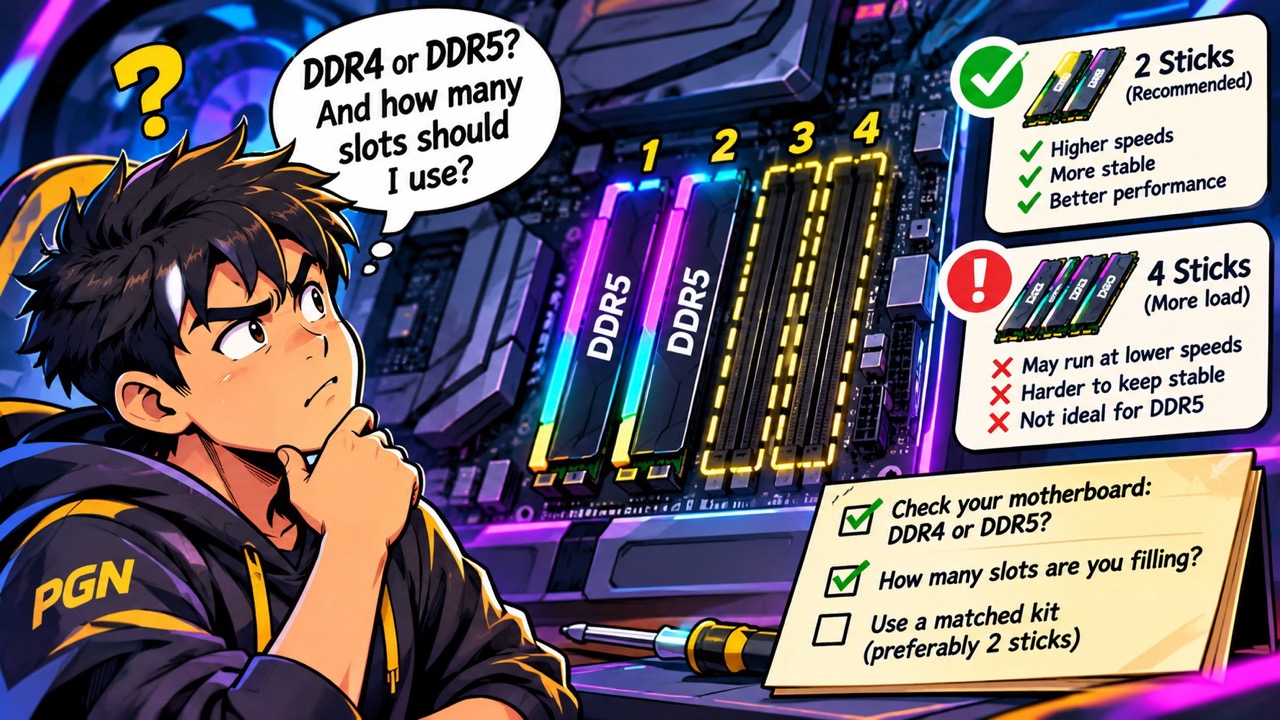
Your motherboard decides which RAM you can use. DDR4 and DDR5 sticks have different notches, so they physically won’t fit in each other’s slots. Most AM4 and older Intel boards are DDR4, while AM5 and newer Intel boards are DDR5.
Not sure what you have? Open Task Manager > Performance > Memory to see your current speed and how many slots are in use, or use a free tool like CPU-Z to check the exact type. For laptops, check if the RAM is soldered. Many thin gaming laptops have no upgrade slots at all.
Constraint #2: four sticks can slow you down
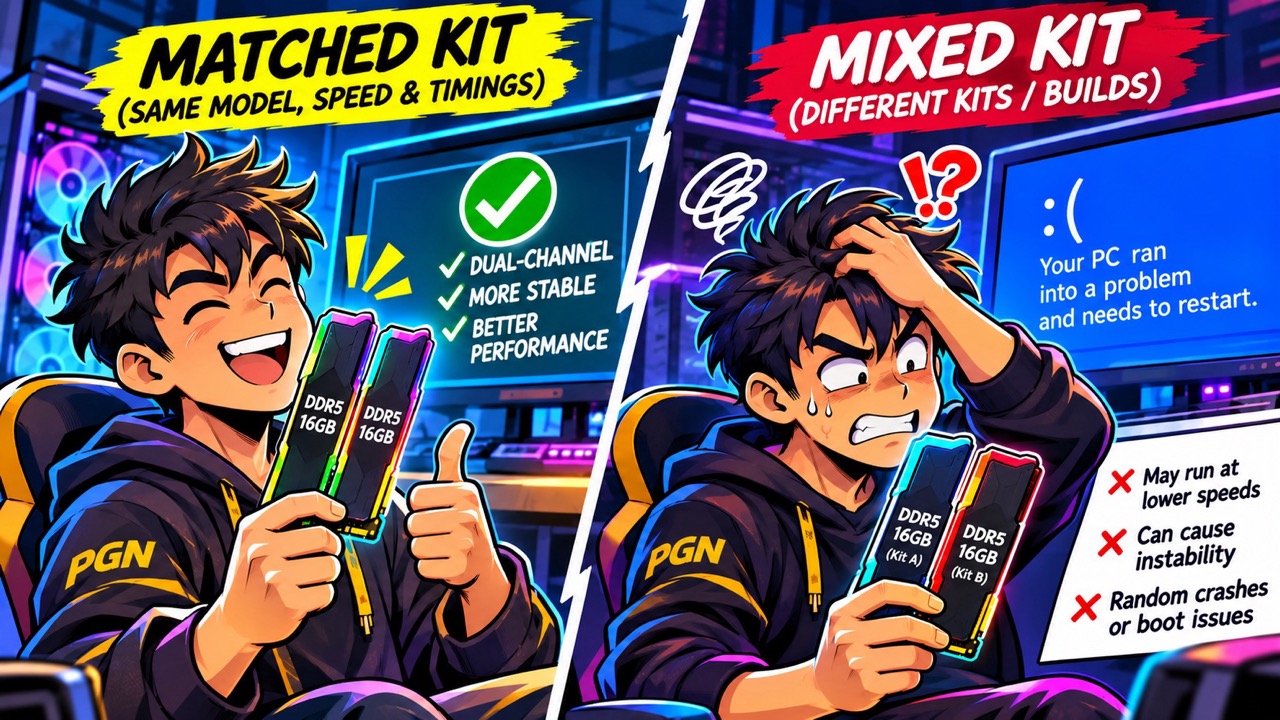
This is the one that catches most people. The easy-sounding plan is: “May 2x8GB ako, bibili lang ako ng another 2x8GB.” On DDR5, this often backfires.
Filling all four slots puts more load on your CPU’s memory controller. On AMD’s AM5 platform, for example, a Ryzen 7 9800X3D officially supports DDR5-5600 with two sticks, but that drops to DDR5-3600 with four. That 6000 MT/s speed printed on the box? Technically, it’s an overclocking profile (EXPO or XMP), and it’s much harder to hit with four sticks.
Mixing kits makes it worse. Corsair itself warns that combining two DDR5 kits, even the same model with the same speed and timings, can cause stability issues, because each kit is only tested as its own set. Expect lower speeds, random crashes, or a PC that won’t even boot.
I learned this the hard way. Since my Pentium days, I always bought one stick at a time because I couldn’t afford a dual-channel kit, planning to buy its pair “soon.” Soon turned into one to two years, and by then that exact stick was no longer sold in stores. So I paired it with a different one, and my PC started throwing random blue screens. Lesson learned: never mix different builds of memory.
The safer move: sell your old kit and buy a single matched 2-stick kit at the capacity you want (2x16GB for 32GB, for example).
Constraint #3: pairs matter
One stick runs in single-channel mode, which cuts your memory bandwidth and can cost you frames, especially in CPU-heavy games and on APUs using integrated graphics. If budget forces you to buy one stick now, buy its exact pair within weeks, not years. Wait too long and that model may be gone, and you’re back to mixing sticks.
How much RAM do you actually need?
- 16GB: Still okay for esports titles and lighter games like Valorant, LoL and Dota 2.
- 32GB: The sweet spot for modern AAA games, especially if you stream or keep Discord and Chrome open while playing.
- 64GB: Overkill for gaming. Only worth it for video editing, 3D work or running local AI models.
How to save on a RAM upgrade
- Don’t chase low latency. CL36–40 kits cost less than CL30 ones, and the difference in games is small.
- Look for bundles. Some stores bundle older-priced RAM with motherboards or CPUs. Gadget Pilipinas also reported that some mall stores still had stock at older prices earlier this year, so it pays to canvass.
- Consider second-hand, carefully. Ask the seller for proof the sticks work, and run a memory test like MemTest86 as soon as you get them.
- Check your motherboard’s QVL (the list of tested memory) before buying.

So, upgrade now or wait?
My honest advice? Unless your PC is really struggling, reserve that upgrade budget for a console instead. Hindi ako nagbibiro: a 32GB DDR5 kit at ₱30,000 or more already costs about as much as a brand-new Nintendo Switch 2, which launched here at ₱31,990, and more than a decent used console. If you really are hitting a limit, like stutters or Task Manager showing your RAM maxed out while gaming, then a matched 2x16GB kit is the most sensible buy right now.
May RAM upgrade horror story ka ba? Share it in the comments, baka makatulong ka sa kapwa gamer.
Enjoying our coverage? PGN is independent and community-supported. If you’d like to help us keep going, you can buy us a coffee. Salamat!